

Hopefully the new year's first couple months have treated you well. Here at Scout Systems we've used the past 10 weeks to develop and now release updates to both HQ and Compass. Some new elements and some bug fixes - our favorite combination!
Editing Your Batch Quantity Mid-Job
One of our customers will be very happy to know this feature has been released - you can now edit the quantity/size of each batch job after it's been loaded and the operator has begun work. There is one key catch however - it can only be done while working on your first batch!
In the very same way that you edit the quantity of units you're building, from the Pause screen, the Edit Quantity button now launches a modal with a secondary Batch Size field (assuming you're building a Batch job).
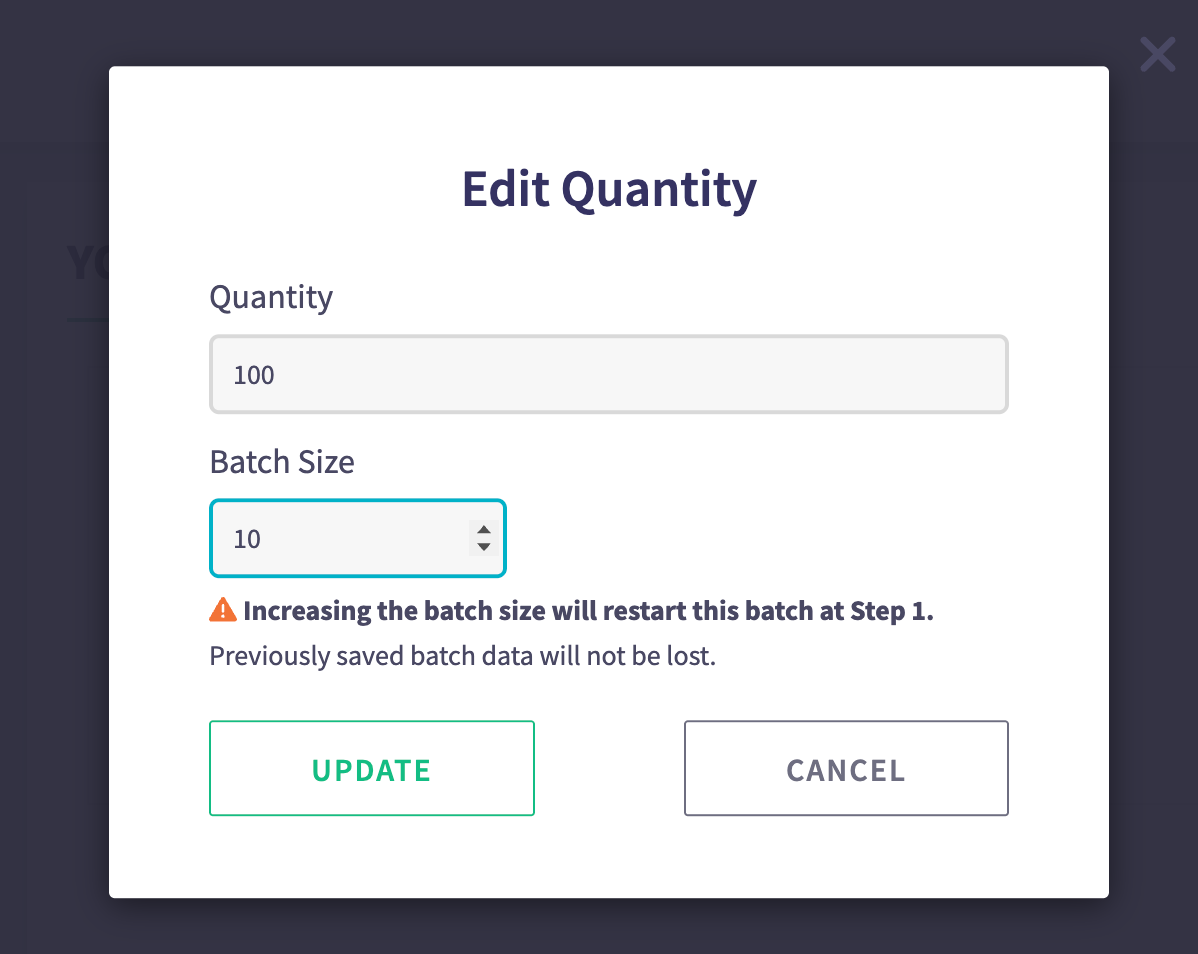
You may also note the warning associated with this adjusted quantity. In the event that you INCREASE the batch size from what was previously set, Compass will automatically jump your operator back to the first step of the batch in order to complete any prior steps that may or may not have required inputs (ie. Unit Identifiers, Measurements, Material Verification, etc). Your data will not be lost, but must be updated to match. This extra warning text will not show if you are reducing the batch size - instead we simply trim any inputs from your batched inputs that exceed the new quantity.
User Groups / Reviewer by 'Group'
Another feature that came about from a customer request was that of the ability to assign Unit Publishing Reviewers to 'groups', such that anyone from the group could be the reviewer for a new unit publishing approval.
You may already be familiar with the User Groups section for each user within HQ. This has been used in the past to assign Operators / Staff to different groups (e.g. 'Night Shift' or 'Swing Shift', etc). We've updated this to now include a little (i) icon next to the group name to indicate who may already be in said group.
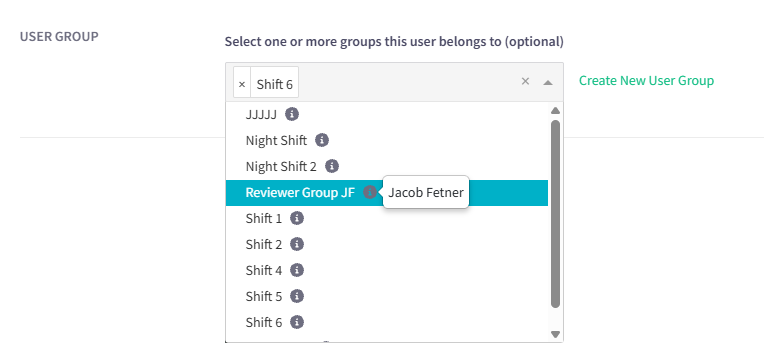
But we've made this feature even more robust - you can assign the user to a group (ie. 'Reviewer Group JF' in the example above), and then jump over to the Admin > Work Areas, and edit the Reviewers for units published in a given work area to include these groups!
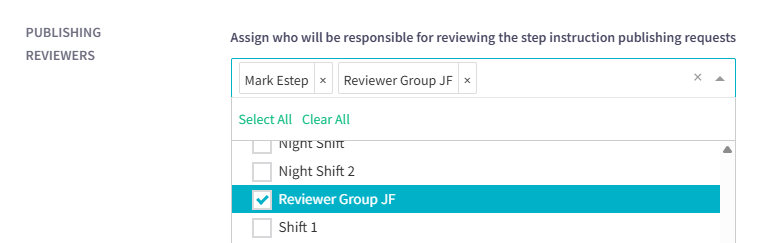
Now, when a unit's steps are sent for review in the publishing process, everyone assigned to the Group will be notified. And in fact, each of the members can review the unit as needed. You can still assign a minimum number of reviewers that must approve of the steps, or you can set it to ALL. The use of a 'group' is a great way to speed up the notification process for all required parties.
Other Minor Adjustments:
- When a station is deleted from Admin > Work Areas, if there are jobs already loaded in Live Production for said station, we now warn the administrator that their jobs will be removed/lost.
- When there are material notes for a step, they show up in Print Preview. But if you had so many materials on a step such that they overflow in the print preview to a separate page, the Material Notes were being stripped from the resulting preview. Thanks to one of our long-standing customers - shoutout to Zach - for helping us uncover this bug and squash it.