

Saving Without Leaving the Editor
We had a request sent to us asking for the ability to SAVE the work being done to edit a step within our Designer application, but without requiring the closure of the editor. Our team threw around the idea of adjusting our SAVE & NEW and our SAVE buttons to read differently, or maybe a drop down with options for different kinds of saving, or perhaps trying to add a third button in the upper right corner - but none of those fit the flow and ease that we try to maintain on each page of our Designer application.
The decision was made to keep it simple - sticking with current best practices. For those wishing to save their work as they go, a familiar keyboard combination of "CTRL + S" on Windows (or "CMD + S" on macOS) will result in an immediate saving of your work, and a reload of the current step editor you're working in. Now you can save as you go, rather than jumping back to the step list page.
Optimizing OEE Charting in Dashboards
Another focus of the past month or so has been the optimization of our Dashboard application. Some of you may have noticed that loading this application, as well as others, particularly on certain days or times of the day resulted in a slowing down of your ability to work. We were able to pinpoint this issue to a complex calculation being used within the Production KPI Dashboard - in particular the OEE calculation charting.
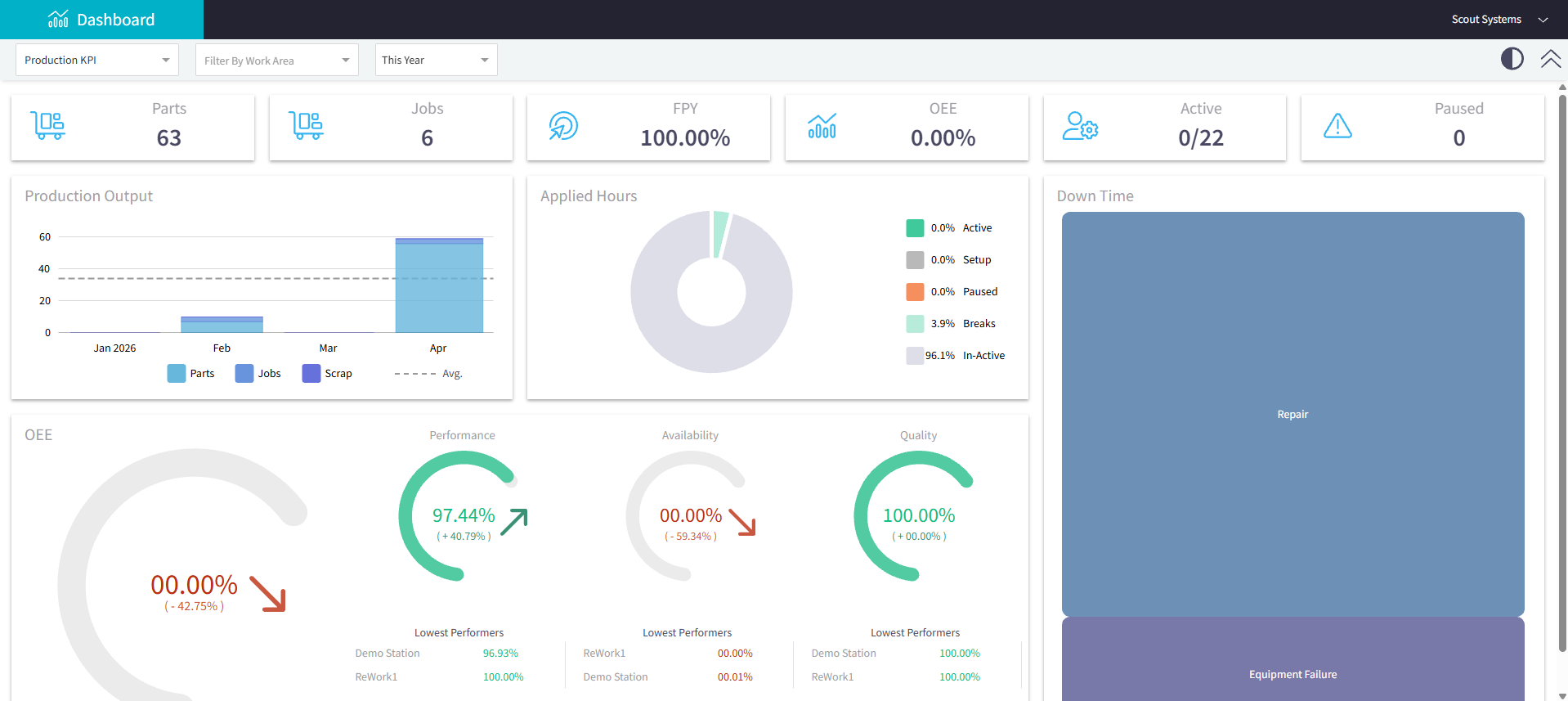
We have reconfigured the way that Build Time data is configured and stored during a job, as a means to move the time calculation away from this charting and instead process it in the backend prior to the loading of the Production KPI Dashboard. This means faster load times for the application, better CPU utilization overall, and ultimately a smoother/faster experience in other applications that were being unnecessarily slowed due to the resource heavy calculations of this one particular application.
We appreciate everyone's patience as we've worked to roll out this optimization. And we particularly thank those customers who worked with us to review specifics related to application use and timing. Thank you!
Other Minor Adjustments:
- We are always looking to optimize parts of our system, and one issue in particular related to the way we calculated and reported Setup counts across Average Step Time reporting. We are continuing to modify the way these are displayed, in particular for Variants / Unit in Units found within other Unit specific reporting.